Get Your Team Organized in Minutes
Simple volunteer scheduling for churches and organizations. Set up rotating schedules, manage swaps, and keep everyone informed.
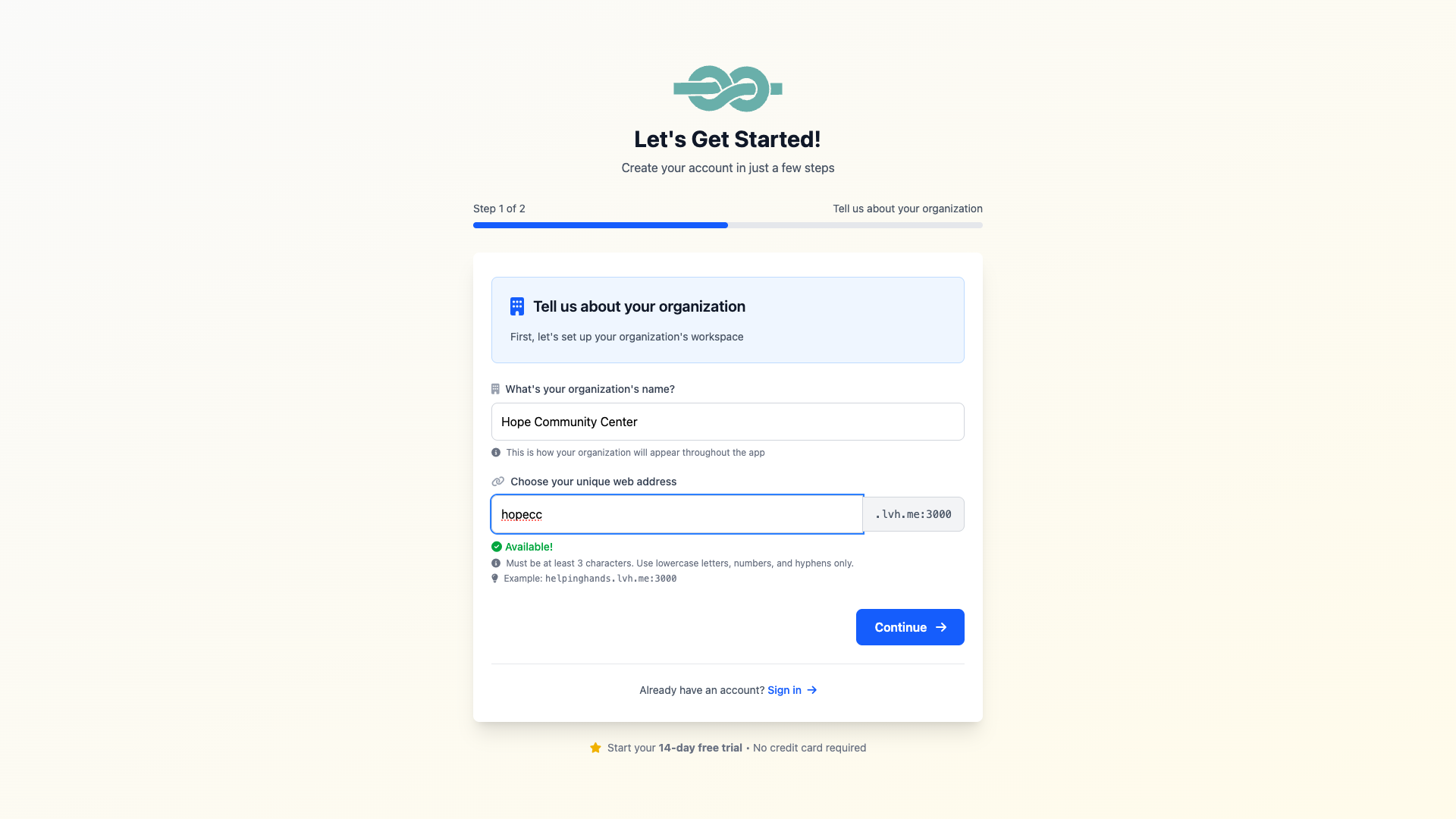
Create Your Account
Sign up in 30 seconds. Start with a free trial, no credit card required. Each organization gets its own secure space with a custom subdomain.
- Choose your organization name
- Pick a custom subdomain (e.g., yourorg.teamsled.app)
- Create your admin account
Add Your Duties
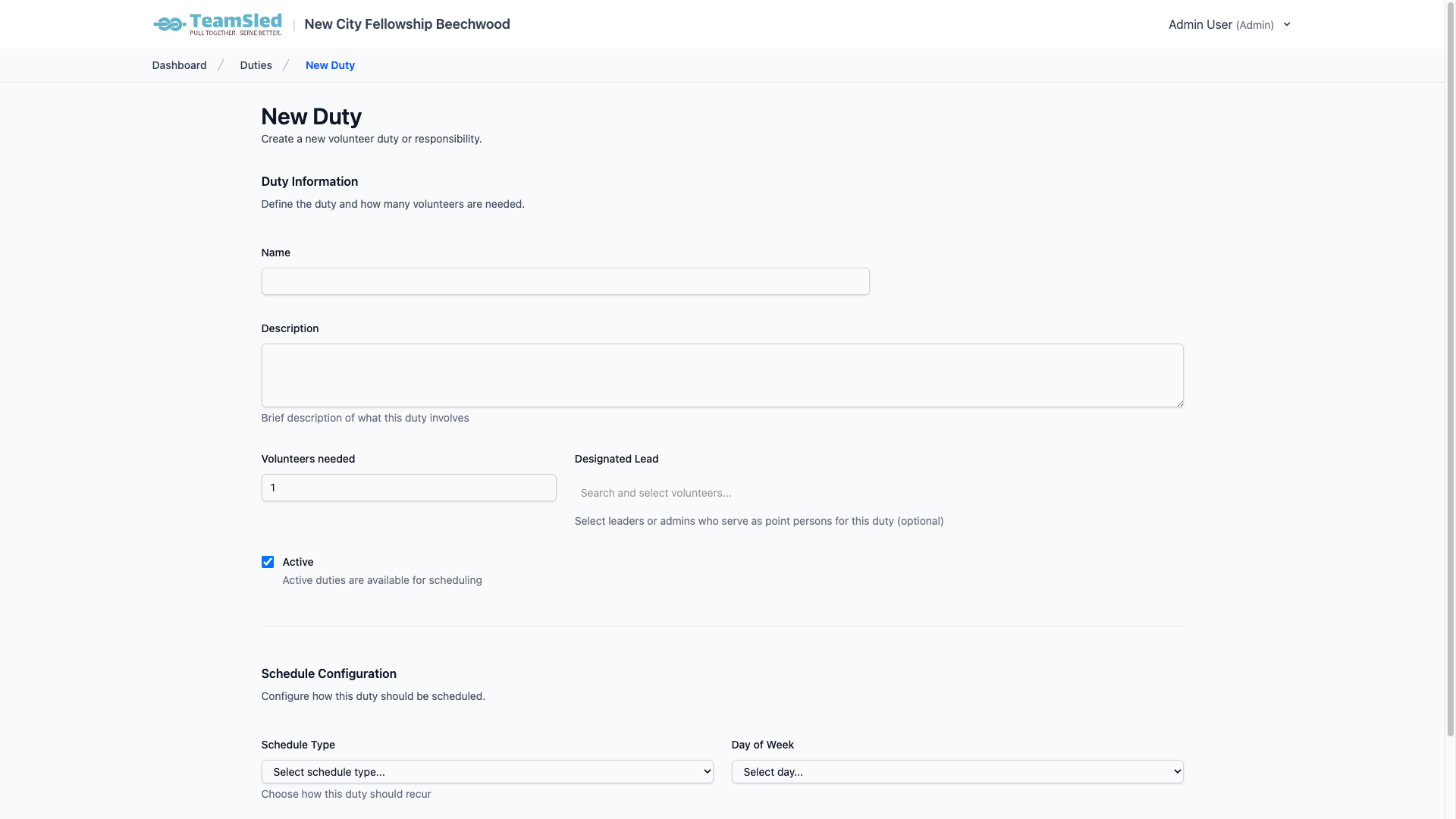
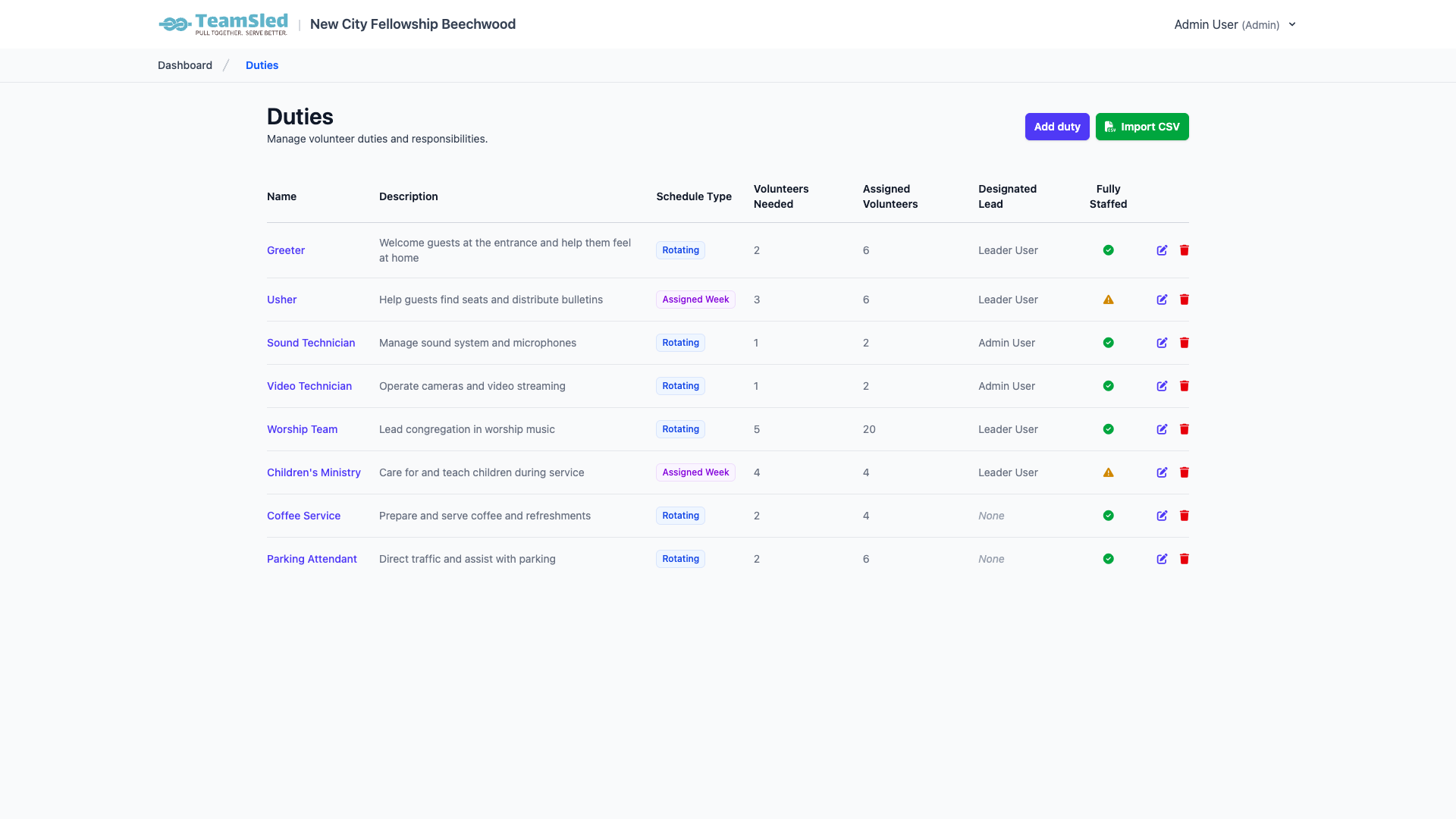
Define your volunteer roles: Greeters, Ushers, Nursery, Sound Tech, etc. Set up weekly rotations or monthly schedules that generate automatically.
- Add duties individually or import from CSV
- Name your duty and describe responsibilities
- Set how many volunteers are needed
- Choose rotating (weekly) or monthly (fixed date) schedule
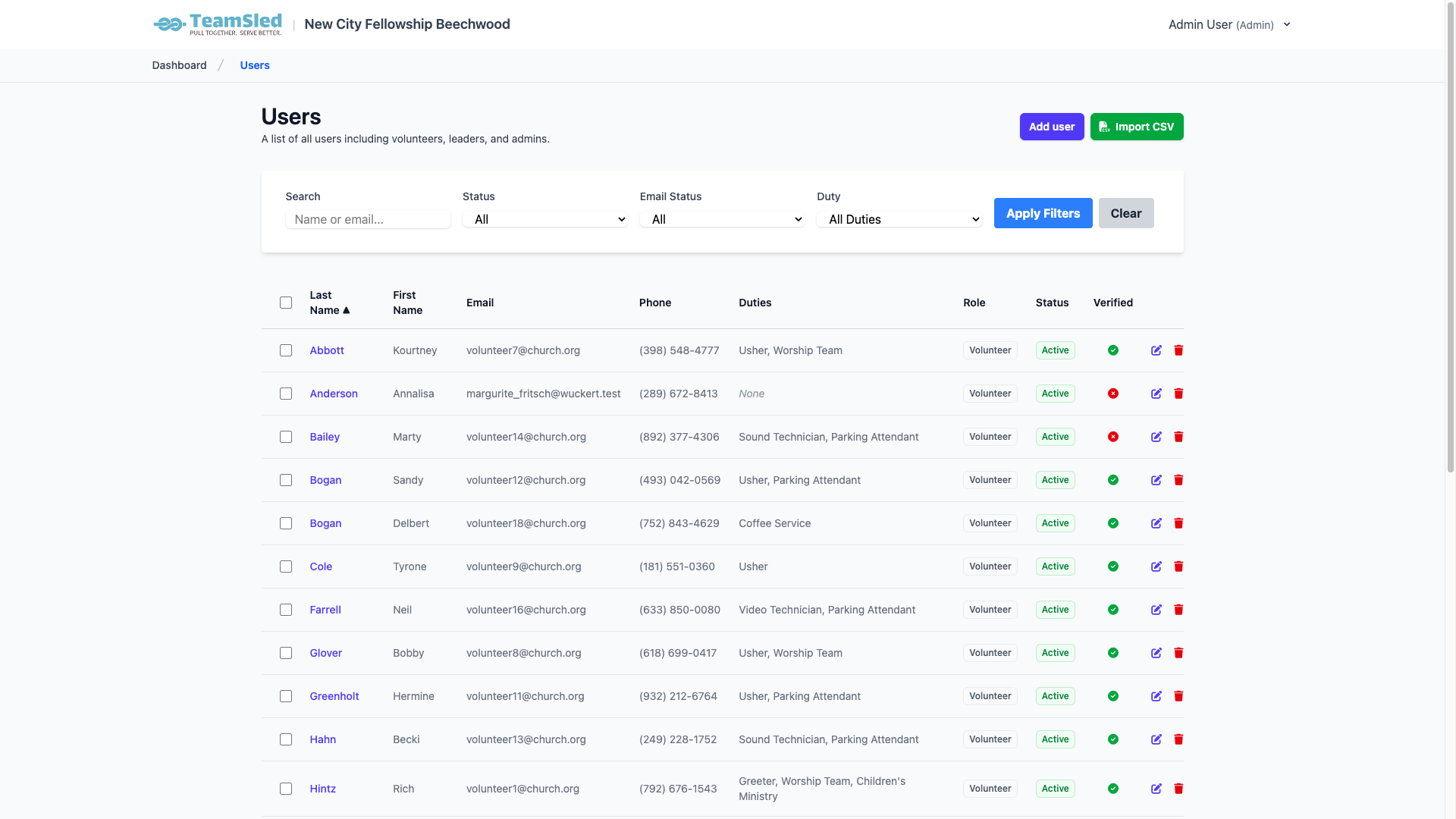
Add Volunteers
Build your volunteer roster by adding people individually or importing from a spreadsheet. Include contact info and any notes to help with scheduling.
- Import volunteers via CSV for quick setup
- Or add volunteers individually with name, email, and phone
- Set their availability and preferences
- Assign roles (volunteer, leader, or admin)
Assign Volunteers to Duties
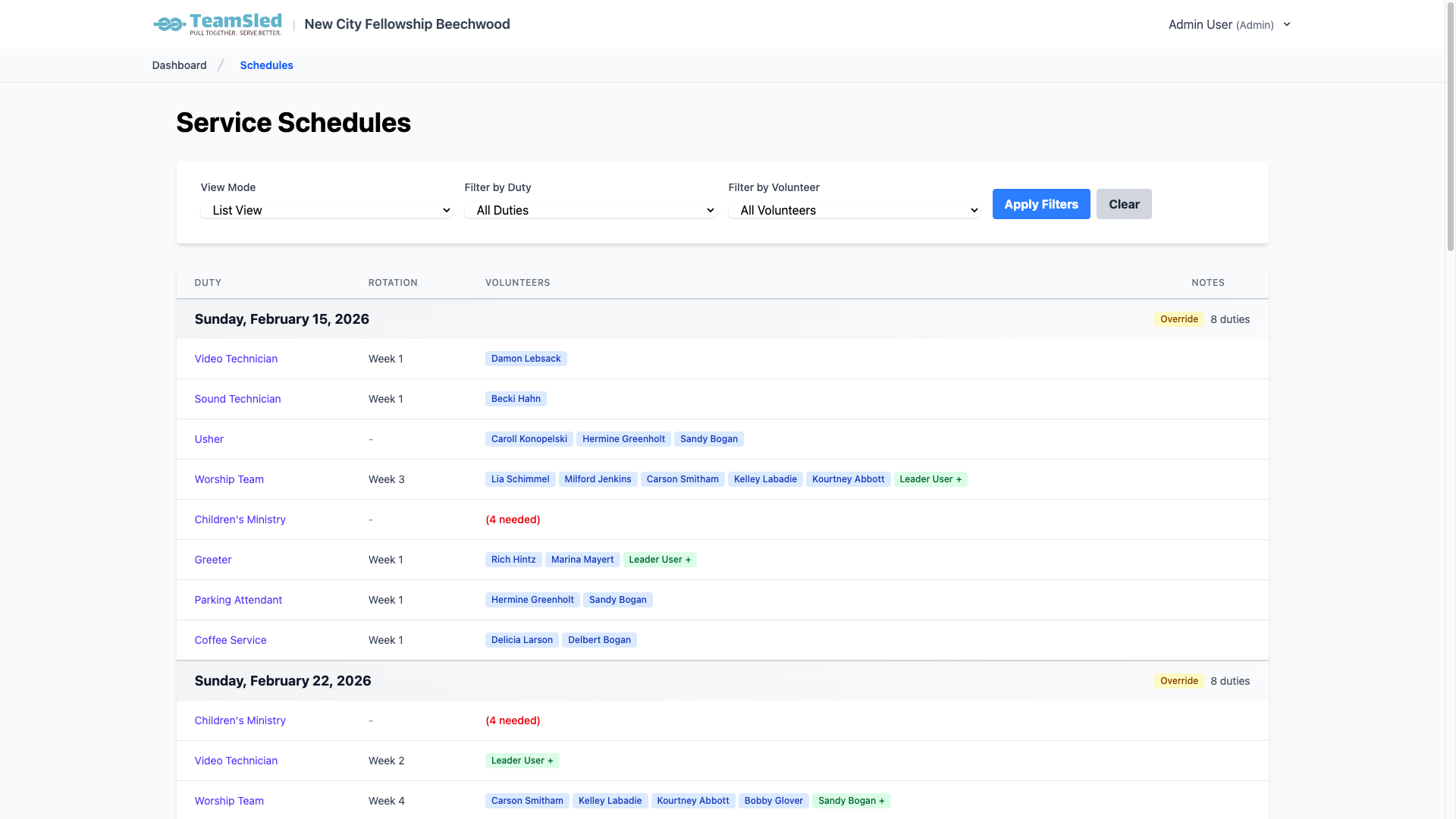
Place volunteers into rotation slots for each duty. TeamSled automatically generates the schedule for weeks and months ahead. No more manual planning each week!
- Assign volunteers to rotation positions
- Schedule generates automatically for the next 12 weeks
- Conflict detection prevents double-booking
- See the full schedule immediately
Volunteers Get Notified
Volunteers receive email reminders and can view their schedule anytime, anywhere. Everyone always knows when they're serving.
- Automatic email notifications for upcoming duties
- View full schedule by duty or by volunteer
- Mobile-friendly interface works on any device
- Calendar view shows all upcoming assignments
Handle Changes Easily
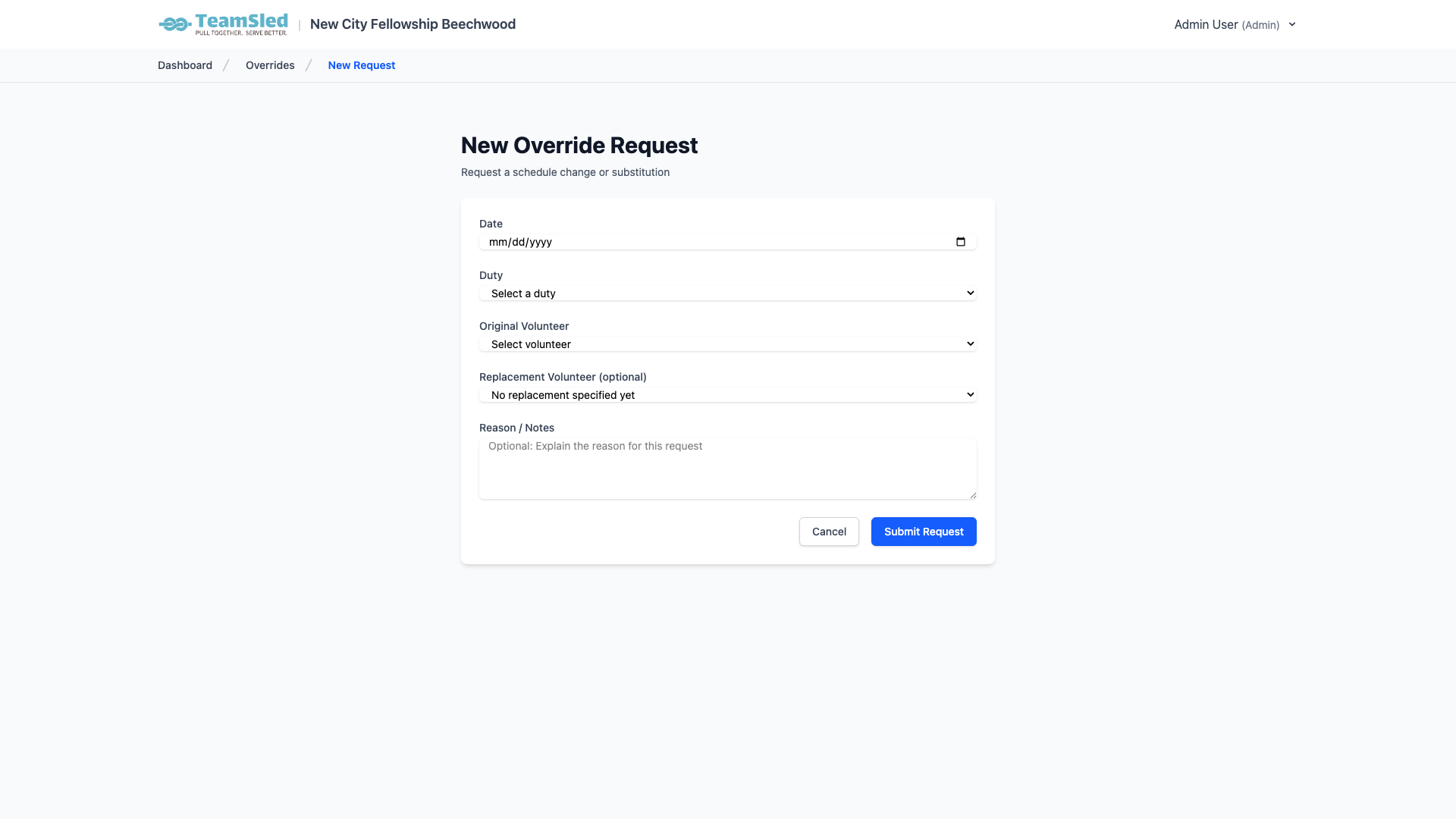
Volunteers can request substitutions or mark themselves unavailable. Leaders approve with one click. No more text message chains or phone tag!
- Self-service time-off requests
- Find your own substitute or leave slot open
- Leader approval workflow built-in
- Changes update the schedule automatically
The Result: Less Work, Better Coordination
Always Know Who's Serving
No more wondering if positions are filled. The schedule shows exactly who's assigned.
Reduce Last-Minute Scrambling
Automatic reminders and easy swap requests mean fewer gaps and surprises.
Volunteers Always Have Their Schedule
Access from any device. No more lost emails or forgotten schedules.
Less Work for Coordinators
Automatic generation, conflict detection, and self-service tools save hours each month.
Ready to Simplify Your Volunteer Scheduling?
Start your free trial today. No credit card required.
Start Free TrialFree 30-day trial • No credit card required • Cancel anytime